Start Your Care Space
Hospital Discharge

Organizing Medical Information for Caregivers: A Family Documentation Guide

Organizing medical information for aging parents is not a filing project. It is how one family member becomes the medical memory system while siblings, portals, and paper records scatter across five systems. This guide shows how to build one shared source of truth for medications, HIPAA access, provider contacts, and an ER-ready packet every caregiver can find.

Family caregiver organizing medical documents and discharge paperwork at a kitchen table after hospital discharge.

What this guide helps your family do

  • Understand why one sibling becomes the medical point person and how to share the load
  • Consolidate portal sprawl, paper records, and family texts into one system
  • Get HIPAA access, assign caregiver roles, and run a weekly 15-minute medical admin ritual
  • Build an ER-ready emergency packet and download the Family Medical Information Organizer
  • Review original research: Family Medical Information Readiness Report 2026
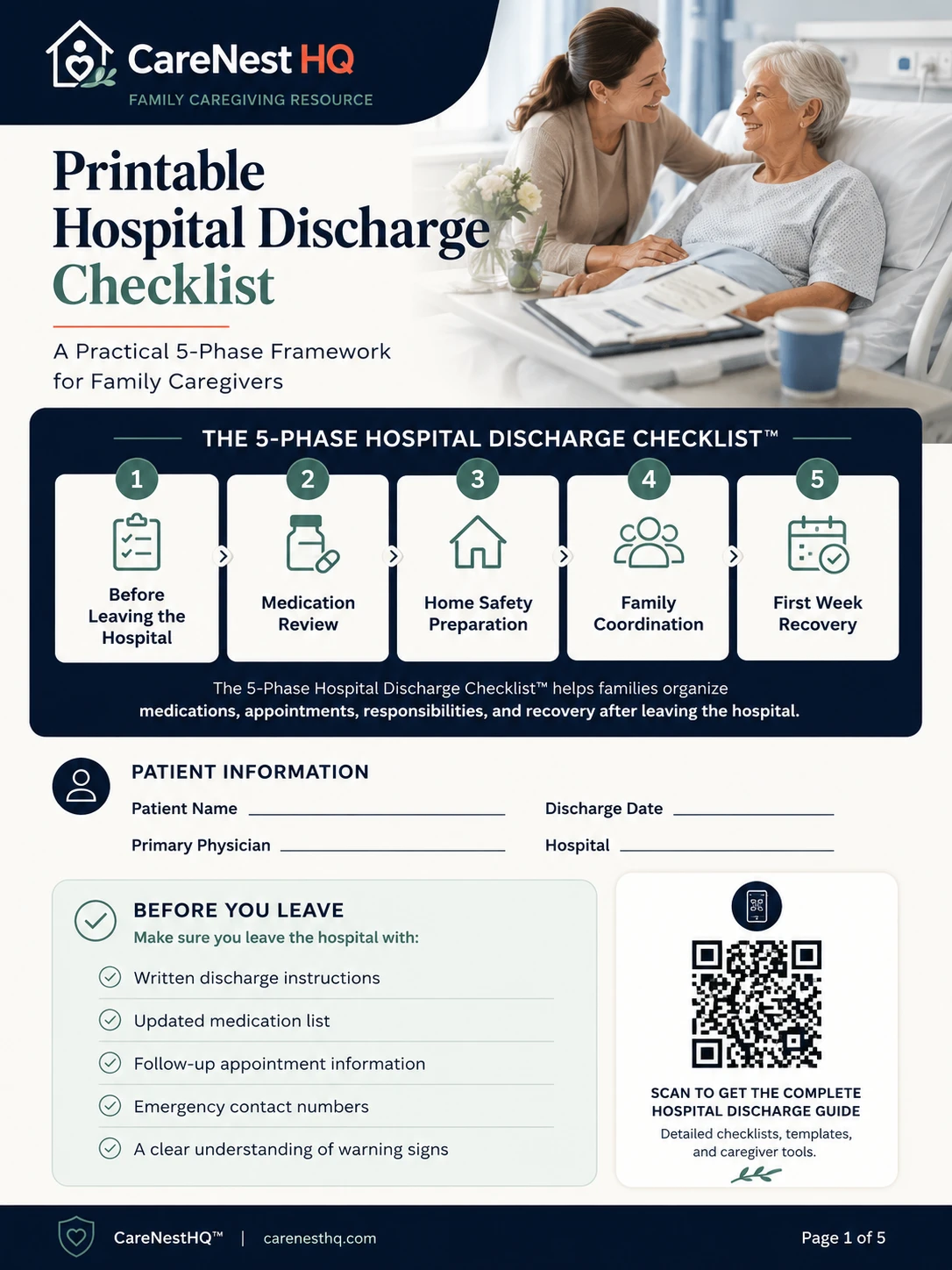
CareNestHQ Printable Hospital Discharge Checklist PDF cover
FREE PDF

Printable Hospital Discharge Checklist

Take this printable checklist to the hospital, share it with family members, and keep medications, appointments, discharge instructions, and caregiver responsibilities organized during the first week home.

  • Bring to the hospital
  • Share with siblings
  • Track medications
  • Record appointments
  • Keep emergency contacts together
  • Instant download
  • No email required
  • Print at the bedside
Family caregiving reality

How Most Families Become the Medical Point Person

It rarely starts with a formal conversation. One adult child lives closest, speaks up at the hospital, or simply remembers the medication names. Over weeks, that person becomes the default: the one siblings call, the one who holds portal logins, the one who knows which specialist ordered which test.

Nobody planned this role. It accumulated because medical information had nowhere else to live. When your parent comes home from the hospital with a folder thick enough to bend, the local sibling photographs the discharge summary while a brother three states away asks for the medication list over text and gets three different answers.

Discharge week can feel overwhelming because the system often assumes one patient and one advocate in the room. Your family may have four caregivers, two patient portals, and no shared folder yet. The medical point person becomes the human memory system: recalling allergies from memory, searching email for insurance cards, repeating the same story to every nurse.

“I spent twenty minutes looking for insurance paperwork while my mom was in the ER.”

That burden is not a personal failure. It is what happens when siblings rely on one person instead of a shared organizer. Caregiver burnout here is often documentation burnout: the exhaustion of being the only one who knows where information lives when someone asks for details and the answer is scattered.

Organizing medical information for aging parents begins by naming this pattern. Once your family sees the role clearly, you can assign ownership, build one source of truth, and share the load instead of treating one sibling as the entire medical database. Start with the Hospital Discharge Care Planning framework if discharge just happened, then use this guide to build a documentation system your family can maintain together.


The coordination problem

The Hidden Problem: Medical Information Lives Everywhere

Most families assume disorganization means lost paper. The deeper problem is fragmentation across systems that never talk to each other. Research on family caregiving consistently shows that the average family manages five or more separate information channels for one aging parent, and often more after a hospital stay.

According to AARP and the National Alliance for Caregiving, 26% of family caregivers report difficulty coordinating care, a number that rises sharply during and immediately after hospital discharge. Portal sprawl is a major driver: each provider system holds a slice of truth, but no single system gives the whole family the same picture.

  • Hospital patient portals with discharge summaries that expire from view
  • Primary care portals separate from specialist systems
  • Specialist portals for cardiology, oncology, orthopedics, each with different logins
  • Insurance portals for Medicare, supplemental plans, and pharmacy benefits
  • Pharmacy apps with refill history that other caregivers cannot see
  • Paper documents in kitchen drawers, glove compartments, and unlabeled folders
  • Text messages with photos of pill bottles and partial medication lists
  • Email attachments from siblings forwarding lab results without context

Each system holds a slice of truth. None gives your whole family the same picture. The medical point person becomes a human API, logging into portals, reading texts, and translating for everyone else.

A family medical information organizer does not replace patient portals. It sits above them: one binder, shared folder, or family hub where the current medication list, provider contacts, and ER-ready summary live regardless of which portal received the latest lab result. The Medication Changes After Hospitalization guide shows how to reconcile lists after discharge; this guide shows where the reconciled list should live permanently.

Family caregivers reviewing hospital discharge documents together at a kitchen table
Gathering discharge documents in one family conversation prevents scattered copies and outdated information.

Why Medical Information Organization Matters After Discharge

Hospital teams stabilize the acute problem during the stay. Recovery continues at home, and that recovery depends on accurate information reaching every provider, pharmacist, and family caregiver involved.

When medical information lives in email threads, kitchen drawers, and individual phones, families repeat tests, delay registration, and communicate wrong medication details. Readmission risk rises not only from clinical complications but from coordination failures: duplicate doses, missed follow-ups, and ER staff working from incomplete histories.

A single family medical records organizer, whether a shared binder, folder, or app, reduces that risk. It gives every caregiver the same discharge documents, medication list, and insurance information before the first doctor visit after hospital discharge.

Essential records

What Documents Caregivers Should Keep

Every family's situation differs, but most caregivers need the same core documents after hospital discharge. Use this list as your starting point when you organize elderly parent medical records.

  • Master medication list: every active prescription, stopped drug, and new medication with dose, frequency, and prescriber
  • Hospital discharge summary: diagnosis, treatment summary, after-visit instructions, and warning signs
  • Insurance cards and Medicare information: front and back of cards, Medicare number, supplemental plan contacts
  • Advance directives and healthcare proxy: living will, power of attorney for healthcare, POLST if applicable
  • Provider contact list: primary care, specialists, home health agency, pharmacy with phone numbers
  • Allergy and adverse reaction history: drug allergies, food allergies, prior reactions documented in writing
  • Recent test results and imaging: labs, pathology, radiology reports referenced on the discharge plan
  • Durable medical equipment orders: walker, oxygen, hospital bed orders with supplier name and delivery date

For questions to request at the hospital, see Questions to Ask Before Leaving the Hospital. For the full discharge framework, use the Hospital Discharge Checklist.

The Single Source of Truth Principle

Single source of truth means one place, not three phones, where every caregiver finds the current medication list, discharge summary, and insurance information. When siblings update separate notes, versions diverge. When one person holds everything in a personal email account, remote family members cannot help during a crisis.

A family medical information organizer works because it assigns ownership: one master list, one folder or shared space, one rule: update after every visit, medication change, or new document.

Scroll sideways on mobile to view all columns.

Factor Paper binder Digital shared folder
Best for ER visits, home health, parents who prefer print Remote siblings, multiple updates per week
Access One physical location; photocopy for backups Any caregiver with login; instant updates
Risk Lost binder, outdated pages left in place Wrong permissions, forgotten passwords
Recommendation Use both: digital master plus printed ER summary at parent's home

“I have no idea what this paperwork means.”

Discharge summaries use clinical language. A caregiver document organizer translates that paperwork into sections your family can use: medications, contacts, insurance, allergies, and next steps, not a stack of unexplained forms in a kitchen drawer.

Legal access

How Adult Children Get Access to Medical Information

HIPAA protects patient privacy. It does not mean families must stay in the dark. Adult children often need legal authorization or designated proxy status before doctors, hospitals, or pharmacies will share records or discuss care by phone. Understanding the difference saves weeks of frustration when you are trying to organize medical records for an elderly parent.

HIPAA authorization is a signed form allowing a provider to share information with a named family member. Many offices require their own release-of-information form. Request copies from every primary care physician, hospital, and specialist your parent sees regularly.

Healthcare proxy (medical power of attorney) names someone to make medical decisions if your parent cannot. It is not the same as a HIPAA release, but hospitals often accept it for care discussions during emergencies.

Advance directives include living wills and POLST forms. Store copies in the same organizer as clinical records so ER staff and siblings find them together.

Durable power of attorney may cover financial and administrative tasks, including calling insurers, but does not automatically grant clinical record access unless your state ties health and financial authority together. Verify what your parent signed.

Release of information workflow: Call each provider office. Ask for their HIPAA authorization form. Have your parent sign before a crisis if possible. Scan signed forms into your shared folder. Note expiration dates and renewal requirements in your organizer.

Track which providers have authorization on file using the advance directives and HIPAA section of the Family Medical Information Organizer, or download the standalone HIPAA Authorization Planning Guide.

For questions to ask at the hospital about records and follow-up, see Questions to Ask Before Leaving the Hospital. MedlinePlus explains personal health records for families at medlineplus.gov.

Medication safety

Build a Medication List Everyone Can See

The medication list is the highest-priority section of any family medical records organizer. Hospitals add, stop, and change prescriptions during a stay. Without a shared list, siblings give conflicting information to pharmacists and ER staff.

Your master list should include drug name, dose, frequency, prescriber, start date, and whether the medication is new, continued, or stopped at discharge. Update it after every pharmacy pickup and every follow-up visit.

For step-by-step reconciliation, see Medication Changes After Hospitalization. For what to bring to appointments, see Follow-Up Appointment Planning.

Shared ownership

Assign Ownership Across Family Members

One person cannot sustainably own every medical task. Assign named roles with backups so the medical point person is a coordinator, not a solo database. Use the table below in your first family call after discharge.

Scroll sideways on mobile to view all columns.

Role Owns Primary Backup
Medication lead Master list, refills, reconciliation after visits
Appointment coordinator Scheduling, reminders, visit prep
Document manager Discharge papers, scans, binder or shared folder
Insurance lead Cards, prior auth, pharmacy benefit calls
Family communicator Sibling updates after appointments or changes
Emergency contact owner ER packet, refrigerator card, escalation list

Post this table inside your organizer or shared folder. When a role is blank, that task is an unmanaged risk. Download the Sibling Care Handoff Worksheet to formalize assignments, or see Family Recovery Coordination for the first 72 hours and weekly check-in structure.

Provider Contacts and Insurance Information

Registration delays happen when insurance cards are missing and Medicare numbers are memorized wrong. Store front and back images of every card, the Medicare or Medicaid number, supplemental plan phone lines, and prior authorization contacts in the same section as your discharge documents.

Your provider list should include primary care, every specialist on the discharge plan, home health agency, physical therapy, and pharmacy. Note the next scheduled appointment and who owns scheduling for each provider.

Long-distance siblings can maintain this section remotely, updating phone numbers, confirming referrals sent, and saving confirmation numbers, while on-site caregivers focus on in-person recovery.

Store and Share Discharge Summaries

Hospital discharge document storage should not mean a pile on the counter that disappears after week one. Scan or photograph every page the day your parent leaves. Store files in a shared folder, binder, or document vault every caregiver can access.

Link discharge summaries to your Hospital Discharge Care Planning framework and printable Hospital Discharge Checklist so medications, appointments, and document organization stay connected.

Maintenance rhythm

The 15-Minute Weekly Medical Administration Meeting

Organizing medical information works best with a gentle weekly rhythm. Without it, binders go stale and portal updates never reach siblings. Block fifteen minutes each week, same day, same video link if family is spread out. The appointment coordinator or family communicator can lead.

Weekly medical administration checklist

  • Review medications against pill bottles and the discharge summary

  • Review appointments in the next seven to fourteen days

  • File or scan new documents from the past week

  • Confirm insurance cards and prior authorizations are current

  • Send one written update to all siblings and backups

  • Verify ER-ready summary and emergency contacts are accurate

  • Review open tasks: refills, equipment, home health orders

Track meeting notes in the sibling update log section of your organizer. Download the printable Medical Administration Weekly Checklist for a four-week meeting log. Families that skip this ritual often notice small gaps only when stress is already high.

Emergency preparedness

Emergency Medical Information Packet

When something urgent happens, your family should not be searching drawers and phones for basics. A one-page ER summary keeps patient name, date of birth, medications, allergies, contacts, and insurance in one calm, readable place. Build the packet once, then refresh it after every hospital stay or medication change.

What belongs in your emergency packet

  • Refrigerator card

    One-page summary with allergies, medications, emergency contacts, diagnoses, and provider information placed where emergency responders can find it.

  • Go bag checklist

    Insurance cards, medication list, advance directives, recent hospital paperwork, and key documents kept together for urgent visits.

  • Medication summary

    Current prescriptions, dosages, timing, prescribing doctors, pharmacy information, and known medication changes.

  • Provider contacts

    Primary care doctor, specialists, pharmacy, home health contacts, and after-hours numbers.

  • Family contact plan

    Who should be called first, who manages updates, and who has access to important records.

Print a copy for the refrigerator, save a photo on every caregiver's phone, and store the master version in your family medical information organizer. When your parent needs emergency care, your family can share accurate information quickly instead of piecing it together from memory.

Emergency contacts icon

Emergency Contacts

Families can keep a clear list of who to call and how to reach them when urgent situations arise.

Emergency documents icon

Emergency Documents

Discharge summaries, instructions, and key records stay organized where caregivers can find them quickly.

Critical care information icon

Critical Care Information

Medications, allergies, and care instructions in one place help every caregiver share the same details.

CareNestHQ does not dispatch emergency services. Call 911 when immediate help is needed. Verify clinical details with healthcare professionals.

Distributed families

When Family Members Live in Different States

Long-distance caregiving fails when the local sibling holds every document and the rest of the family learns about changes by text thread. Distance is manageable when permissions, documents, and updates are designed for remote access from the start.

Document sharing: Use a shared cloud folder or family care app with read access for every sibling. Scan discharge papers the day they arrive. The document manager role should live with whoever updates files most often, not necessarily whoever lives closest.

Permission management: Confirm HIPAA authorizations and healthcare proxy documents name the caregivers who will call providers from out of state. Store signed forms in the shared folder so a sibling in another time zone can reference them during an evening ER call.

Appointment coordination: The appointment coordinator maintains a shared calendar with video links for family check-ins. Remote siblings can join follow-up calls via speakerphone when the parent consents.

Family updates: The family communicator sends one written summary after every appointment or medication change. Use the sibling update log in your organizer so nobody relies on memory.

Emergency escalation: The emergency contact owner maintains a call order: who phones the hospital first, who notifies siblings, who travels if needed. Post this list next to the refrigerator card.

For role assignment and the first 72 hours after discharge, see Family Recovery Coordination. For the remote caregiver lens (phone tasks, shared folders, and weekly sync calls from another state), see Long Distance Caregiving After Hospital Discharge.

How to Set Up Your Family Medical Information System

Follow these eight steps to organize medical records for an elderly parent after hospital discharge. Complete steps one through three before leaving the hospital when possible.

  1. Gather discharge papers the day your parent leaves the hospital, and do not rely on memory.
  2. Create a master medication list including active, stopped, and new prescriptions.
  3. Photograph or scan insurance cards and Medicare or Medicaid information.
  4. List all providers with phone numbers and next appointments.
  5. Store advance directives and allergy information in the same folder or shared space.
  6. Create a one-page ER summary every caregiver can find immediately.
  7. Share access with siblings: shared folder, printed binder, or family hub.
  8. Review and update after every visit, medication change, or new document.
Signature tool

Family Medical Information System

Use this worksheet preview to start your family medical records organizer the day your parent comes home. The downloadable PDF includes every section below plus a sibling update log.

Medical information organizer: A structured template where family caregivers store medications, allergies, providers, insurance, emergency contacts, and discharge summaries in one shared system.

Scroll sideways on mobile to view all columns.

Section What to record Last updated Owner
Medications Drug, dose, frequency, prescriber; note new / stopped / changed Discharge date Medication lead
Allergies Drug, food, and environmental allergies; reactions Discharge date Document owner
Providers Name, specialty, phone, next appointment Weekly review Appointment lead
Insurance Medicare #, plan name, member ID, pharmacy benefit phone Annual review Insurance coordinator
Emergency contacts Primary caregiver, sibling, neighbor, healthcare proxy As needed Communication owner
Discharge summary Diagnosis, instructions, warning signs, equipment orders Discharge date On-site caregiver
Sibling update log Date, change made, who was notified After each update Communication owner

Medications

Record
Every active, stopped, and new prescription
Owner
Medication lead

Insurance & providers

Record
Cards, Medicare number, provider contacts
Owner
Insurance coordinator

ER-ready summary

Record
Allergies, meds, contacts on one page
Owner
Document owner
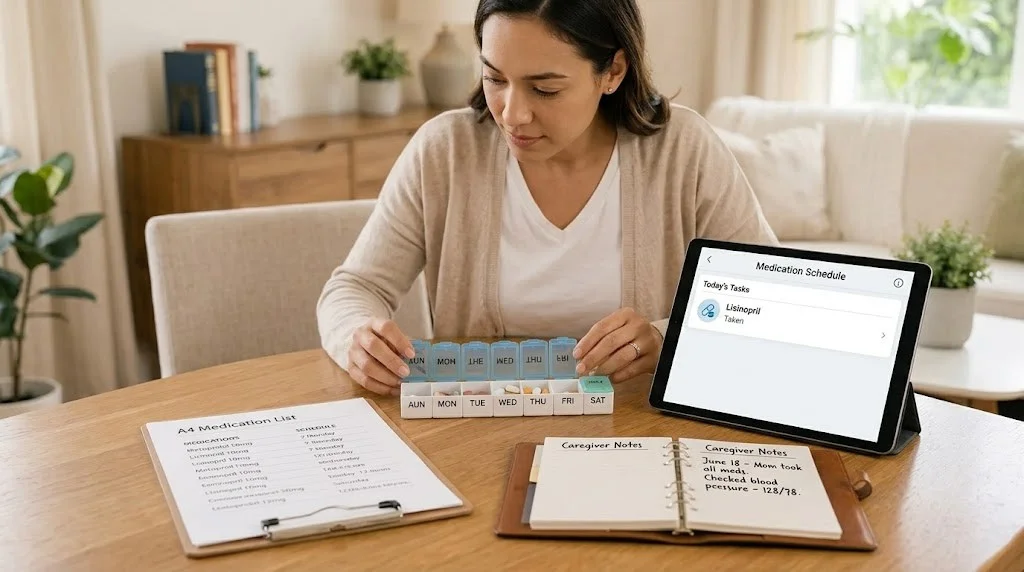
Caregiver using a tablet with a pill organizer to manage family medical information after hospital discharge
A tablet and pill organizer help families keep medication lists accurate in one shared view.
Built for family caregivers

How CareNestHQ™ Helps Families Stay Organized

After discharge, documents multiply: discharge summaries, insurance cards, specialist referrals, and medication changes arrive faster than any one person can file them. The caregiver closest to the situation often becomes the only person who knows where everything is.

CareNestHQ™ gives your whole family one shared place for discharge papers, medication lists, and emergency profiles, so remote siblings and local caregivers work from the same information.

Document vault for discharge papers

Store discharge summaries, insurance cards, and advance directives where every caregiver can find them.

One medication list for the whole family

Track active, stopped, and new prescriptions in a single source of truth, with no duplicate doses.

Family hub for shared access

Siblings and remote caregivers see the same provider contacts, appointments, and updates.

ER-ready emergency profile

Keep allergies, medications, and contacts accessible before the next crisis, not during it.

Related resources

Related Hospital Discharge Resources

Original Research

Family Medical Readiness Report 2026

25 cite-worthy statistics on caregiver preparedness, medication coordination gaps, and the Documentation Readiness Scorecard.

Published

Hospital Discharge Care Planning

A complete family coordination guide including the CareNestHQ™ Recovery Coordination System and the first 72 hours after discharge.

Published

Hospital Discharge Checklist

The printable 5-Phase checklist covering medications, home safety, follow-up appointments, and the first week of recovery.

Published

Questions to Ask Before Leaving the Hospital

Practical discharge questions for medications, follow-up care, warning signs, and home responsibilities.

Published

Medication Changes After Hospitalization

Compare before-and-after medication lists and prevent dosing errors when your parent returns home.

Published

Follow-Up Appointment Planning

Schedule, track, and prepare for every follow-up appointment after hospital discharge.

Published

Family Recovery Coordination

Assign who owns medications, appointments, and family updates. The coordination hub for sibling and long-distance caregivers.

Published

Long Distance Caregiving

Remote caregiver guide for phone scheduling, shared folders, and weekly sync calls after discharge.

Published

ER Refrigerator Card

One-page emergency summary for medications, allergies, contacts, and insurance posted where EMTs look first.

Published

HIPAA Authorization Planning Guide

Eight-page guide with provider workflow and permission tracking so adult children can access medical records.

Published

Weekly Medical Admin Checklist

15-minute family ritual to keep medications, documents, and emergency information current.

Published

Sibling Care Handoff Worksheet

Assign medical roles, communication cadence, and emergency escalation across siblings.

Common questions

Frequently Asked Questions

What documents should caregivers keep?

Keep a master medication list, hospital discharge summary, insurance cards and Medicare information, advance directives, provider contacts with next appointments, allergy history, recent test results, and durable medical equipment orders. Store everything in one shared system every caregiver can access.

How do I get access to my parent's records?

Ask each provider for their HIPAA authorization or release-of-information form and have your parent sign before a crisis if possible. Confirm whether a healthcare proxy or durable power of attorney is on file. Track signed forms in your family medical information organizer so every sibling knows which offices have permission to share records.

Should I use paper or digital records?

Use both. A digital shared folder gives remote siblings instant access and version control. A printed binder and refrigerator card at your parent's home helps ER staff and home health workers who need paper in the moment. The digital copy is the master; print refreshes after every update.

What belongs in an emergency packet?

Include a one-page summary with patient name, date of birth, active medications with doses, allergies, primary diagnosis, emergency contacts, primary care provider, and insurance information. Add advance directive copies, a go bag checklist, and provider phone numbers. Post one copy on the refrigerator and save a photo on every caregiver's phone.

How often should records be updated?

Review medications and appointments weekly in a fifteen-minute family check-in. Update documents immediately after every hospital stay, specialist visit, or medication change. Refresh insurance cards annually and after any plan change. ER-ready summaries should match the current medication list at all times.

What if siblings disagree about medical decisions?

Start with the healthcare proxy and advance directives your parent signed. Those documents name who has legal authority. For day-to-day coordination, use assigned roles so disagreements become task conflicts, not information hoarding. If conflict persists, a family meeting with the primary care provider can clarify the care plan in writing.

What if parents refuse help organizing records?

Start small and frame organization as safety, not control. Offer to build an ER-ready summary together or photograph insurance cards for emergencies only. Respect autonomy while explaining that accurate records help every provider and reduce repeat questions. A printable organizer lets your parent keep paper copies while you maintain a shared backup.

How do I organize multiple specialists?

List every specialist in one provider section with specialty, phone, next appointment, and what they manage. Note which doctor owns each medication to avoid conflicting instructions. After each visit, the document manager files the visit summary in the same folder and the family communicator notifies siblings of any changes.

What if I live in another state?

Request read access to the shared folder, confirm HIPAA authorization includes your name, and take a remote role such as insurance lead or family communicator. Join appointments by video when possible. Use the weekly medical admin meeting to stay current without relying on text threads. See Family Recovery Coordination for distributed family workflows.

What should I bring to a hospital?

Bring the ER-ready summary, full medication list, insurance cards, advance directives, allergy history, and a list of current providers with phone numbers. If your parent is being admitted, add the latest discharge summary from any recent stay. See Questions to Ask Before Leaving the Hospital for discharge preparation.

Evidence-based guidance

Sources and Resources

The guidance on this page draws from established caregiving research and the following authoritative organizations.

  • Centers for Medicare & Medicaid Services (CMS) cms.gov Care transitions and hospital quality initiatives
  • Agency for Healthcare Research and Quality (AHRQ) ahrq.gov Be Prepared to Go Home Checklist
  • MedlinePlus, National Library of Medicine medlineplus.gov Personal health records and medical information organization
  • National Institute on Aging (NIH) nia.nih.gov Medication management and safety for older adults
  • AARP aarp.org Caregiver emergency preparedness and document checklists

CareNestHQ™ does not provide medical advice. This guide helps families coordinate discharge documentation. Always follow instructions from your parent's medical team and contact a qualified healthcare provider with clinical questions. For how we approach privacy and family care space access, see our privacy overview and medical disclaimer.

Full library

Explore More Caregiving Resources

Browse the full library of guides, checklists, and recovery planning tools for family caregivers.

Next step

Stop Searching for Paperwork in a Crisis

Scattered discharge documents are preventable. CareNestHQ™ helps families organize medical information in one shared place, so every caregiver, provider, and ER team gets accurate information fast.